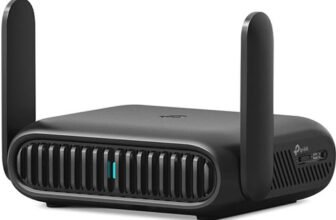
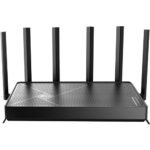
The TP-Link Archer BE400 boasts exceptional 5GHz performance, even surpassing some of TP-Link’s higher-end models. It presents a solid choice for users seeking to upgrade their 5GHz WiFi network
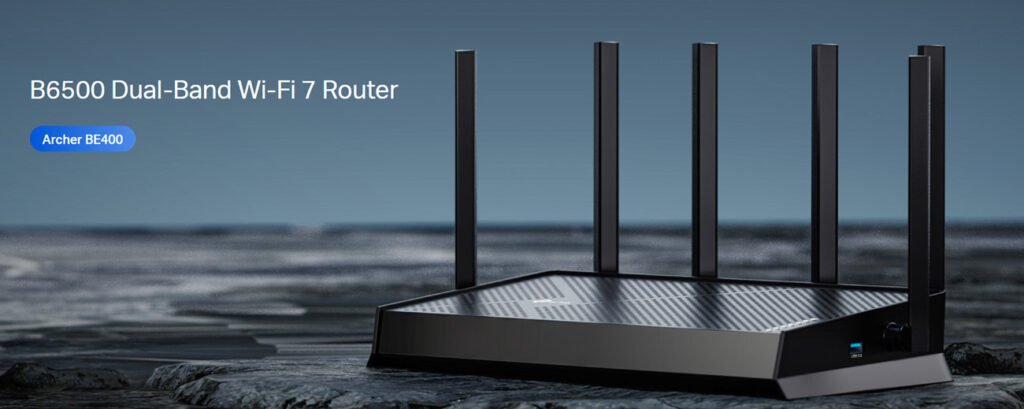
TP-Link Archer BE400 Router Pros and Cons
TP-Link Archer BE400 Router Design
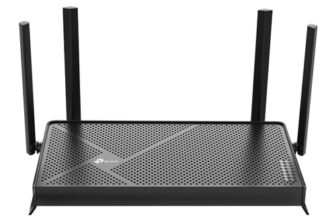
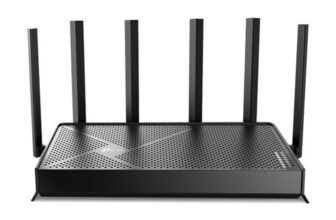
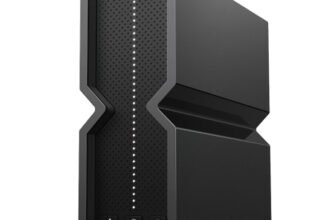
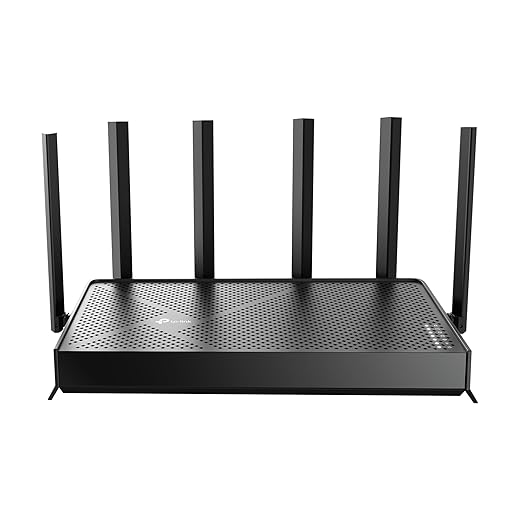
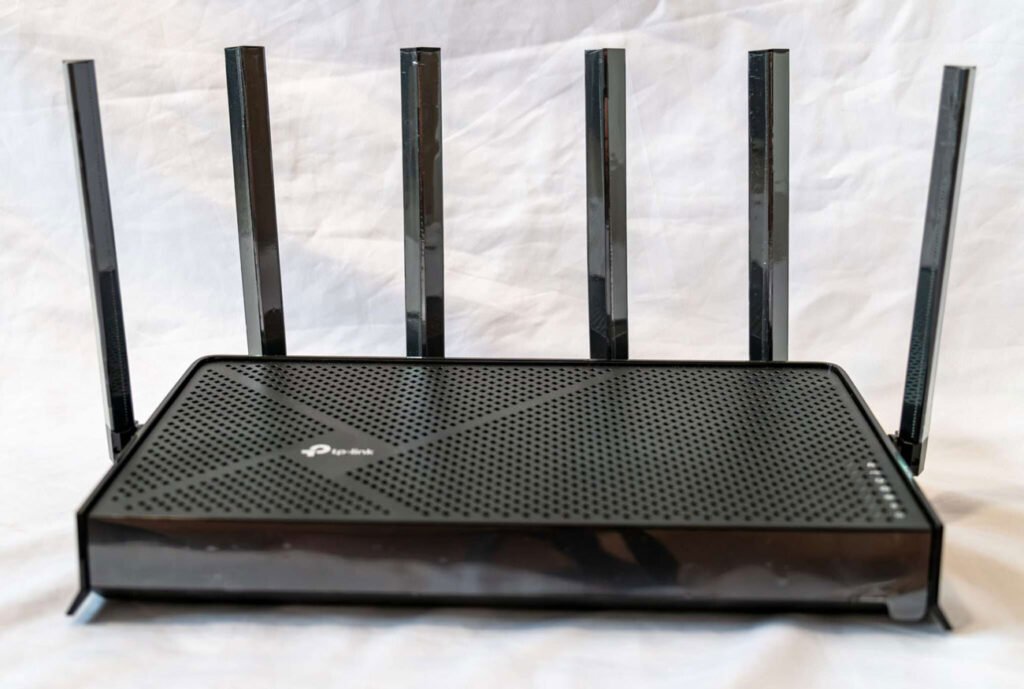
The TP-Link Archer BE400 is almost the same in design with the Archer BE230. Both feature a sleek black finish with a mesh pattern for optimal airflow, facilitating heat dissipation through ventilation holes to keep the router cool during operation. The main visual difference is being the two extra antennas. The Archer BE230 uses four external antennas and the Archer BE400 has an additional two. These extra antennas mean the router’s ports now fit on the back, so its USB 3.0 port has been moved to the side. The Archer BE400 is made of a high quality matte plastic, built solid and sturdy. Also on the back are two mounting holes if you want to hang it on the wall, which is something you won’t find on other TP-Link Wi-Fi 6 models such as the Archer BE550 or Archer GE550.
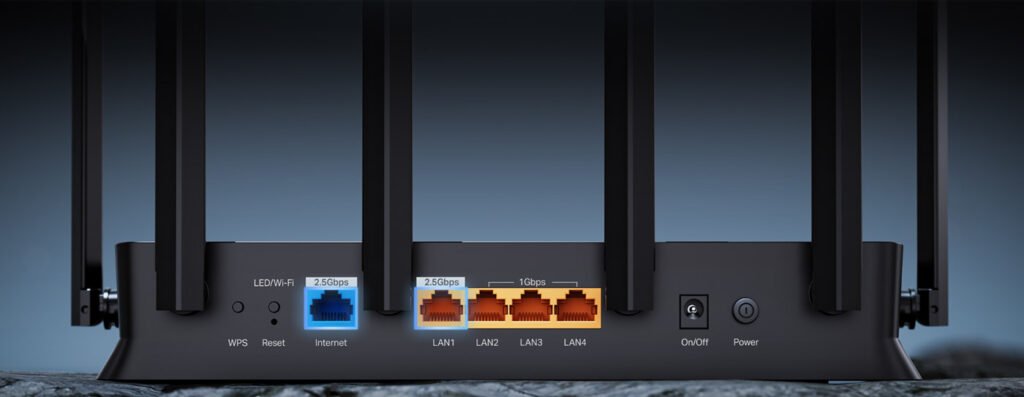
On the right side of the Archer BE400, you will find multiple LED indicators that indicate connectivity. Around back, a plethora of buttons and ports, including 2.5G WAN and 2.5G LAN ports, can be found sitting on the rear panel. The remaining three LAN ports are gigabit-only affairs. That’s a shame because several Wi-Fi 7 router models already have full 2.5G LAN ports. On the side there’s a USB 3.0 port that lets you plug in a USB hard drive to share your files over the network.
TP-Link Archer BE400 Router Feature
- Wi-Fi 7 Ready – Latest Wi-Fi 7 technology (Multi-Link Operation (MLO), MU-MIMO) with Multi-RU and 4K-QAM. Experience the best possible performance with our Wi-Fi 7 compatible laptops and devices including the iPhone 16 Pro and Samsung Galaxy S24 Ultra.
- 6-Stream, Dual-Band Wi-Fi with 6.5 Gbps Total data rate – Achieve full speeds of up to 5764 Mbps on the 5GHz band and 688 Mbps on the 2.4 GHz band with 6 streams. Enjoy seamless 4K/8K streaming, AR/VR gaming, and incredibly fast downloads/uploads.
- Large Coverage & Strong Connection – Get as long as 2,400 square feet of coverage5102 with stable and consistent connection. ft, and the maximum of 90 devices simultaneously. Six powerful antennas and Beamforming ensure optimal angle for extended WiFi device coverage in homes and small offices, work, and jobsites.
- Ultra-Fast 2.5 Gbps Wired Speeds – 1x 2.5 Gbps WAN/LAN port, 1x 2.5 Gbps LAN port and 3x 1 Gbps LAN ports offer high-speed data transmissions. Works with a multi-gig modem for gigplus internet.
- Our Cybersecurity Commitment – TP-Link is a signatory of the U.S. Cybersecurity and Infrastructure Security Agency’s (CISA) Secure-by-Design pledge. This device is designed, built, and maintained, with advanced security as a core requirement.
- Multi-Link Operation (MLO) – Share data on various frequency networks more simultaneously for better throughput, lower latency, and reliability. Experience faster, more consistent connections in all your apps.
- Easy to expand theWiFi It transforms into the most cost-effective WiFi mesh network with one main device and multiple local devices to extend WiFi, your problemis finally solved.
- TP-Link HomeShield – Provides comprehensive home network protection, robust parental controls, and real-time IoT security when you are at home or on the go. A safer internet experience enhances your smart living and adds armor to your network.
- VPN clients and server supported – Enables home devices to access remote VPN servers without installing VPN software on each device. Supports simultaneous VPN and regular internet connections for enhanced security and flexibility.
TP-Link Archer BE400 Router Specifications
| Brand | TP-Link |
| Model Name | Archer BE400 |
| Special Feature | Access Point Mode, Guest Mode, Internet Security, Parental Control, QoS |
| WiFi Speeds | BE6500 • 5 GHz: 5764 Mbps • 2.4 GHz: 688 Mbps |
| WiFi Range | 3 Bedroom Houses |
| Ethernet Ports | • 1× 2.5 Gbps WAN • 1× 2.5 Gbps LAN • 3× 1 Gbps LAN |
| USB Support | 1× USB 3.0 Desteklenen Bölüm Formatları: |
| Frequency Band Class | Dual-Band |
| Wireless Communication Standard | 802.11.be, 802.11ac, 802.11ax, 802.11g, 802.11n |
| Compatible Devices | Gaming Console, Personal Computer, Security Camera, Smart Television, Smartphone |
| Frequency | 5 GHz |
| Included Components | 1 * Power Adapter, 1 * QIG, 1 * RJ45 Ethernet Cable, Wi-Fi 7 Router Archer BE400 |
TP-Link Archer BE400 Router Performance
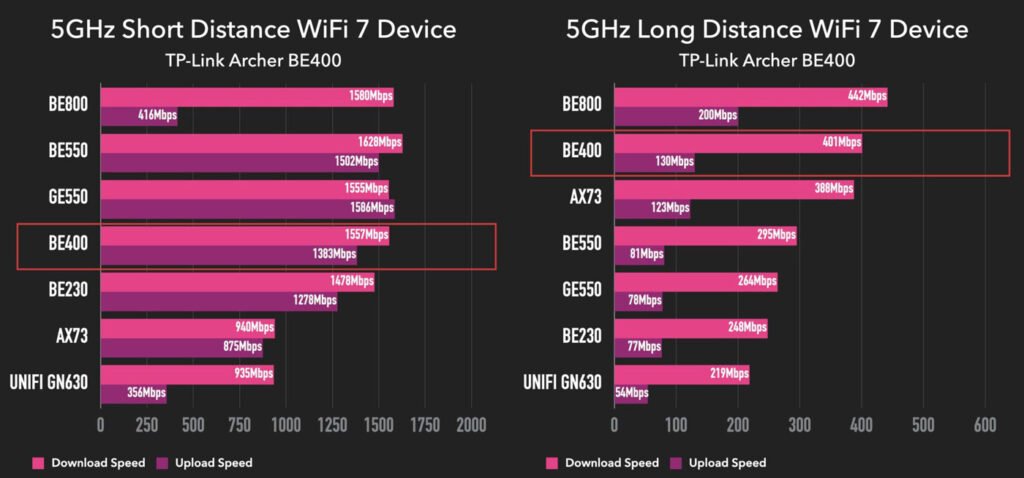
I tested the TP-Link Archer BE400 and recovered its advanced performance. I tested its speed on my iPhone 12 Pro, which doesn’t even have Wi-Fi 7. On the 5GHz band, the Archer BE400 reached 648Mbps when at close range. That’s not as fast as the Archer BE550’s 754Mbps or the Archer BE800’s 689Mbps, but it was faster than the Archer AX73’s 592Mbps. In our long-distance test (about 6 metres from the router, with two re-inforced concrete walls) the Archer BE400 achieved 401Mbps on the 5GHz band, with Wi-Fi 7 devices. While not quite up to the Archer BE800’s 442Mbps, it was still faster than the Archer BE550 at 295Mbps. In our long-range 5GHz band test, the Archer BE400’s throughput of 401Mbps outdid the Archer BE550’s 295Mbps, but lagged behind the Archer BE800’s 442Mbps. This was unexpected and probably due to the 5GHz radio supporting four spatial streams instead of two as other models. That extra spatial stream allows for better beamforming, giving you a stronger, more reliable signal over a longer distance.
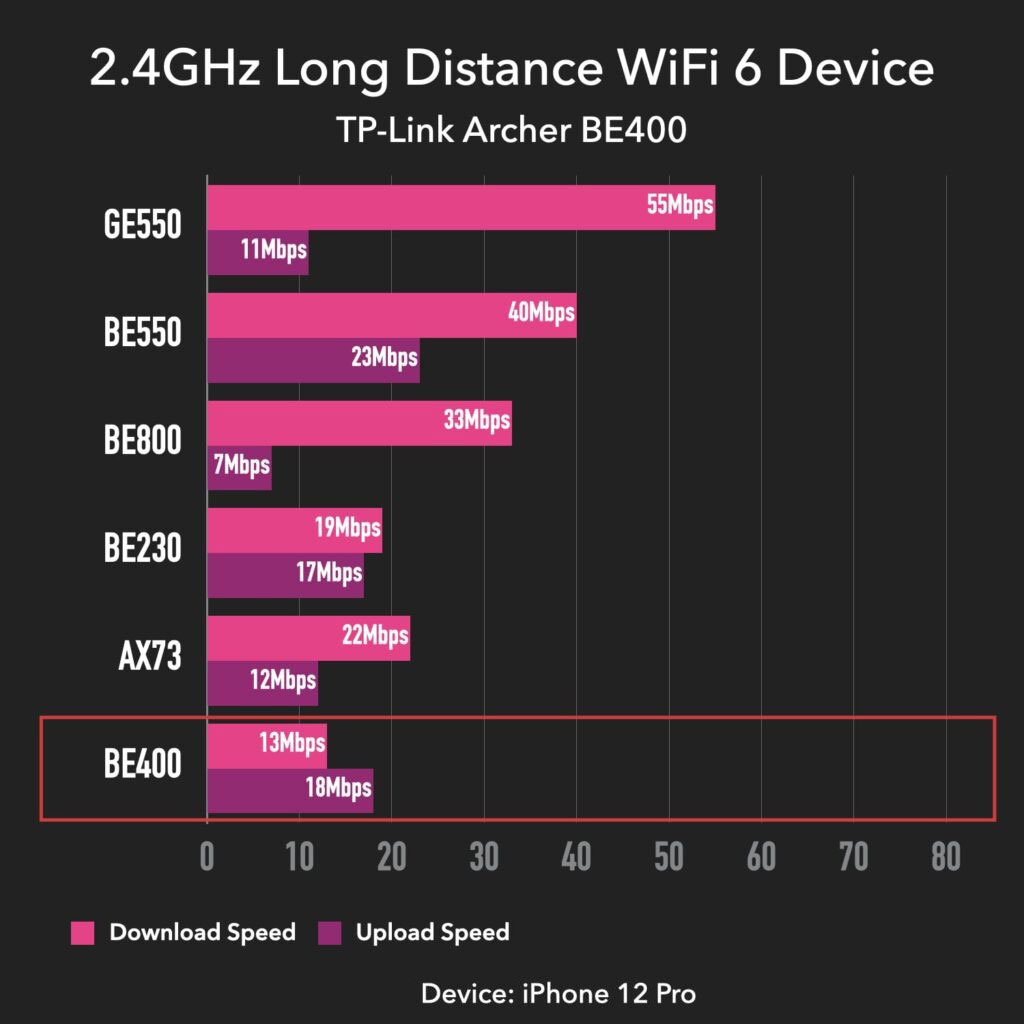
In our long distance testing, the 2.4GHz band of the Archer BE400 performed much more slowly, most likely from the incredibly noisy testing area. It reached just 13Mbps, well shy of the Archer BE550’s 40Mbps and even slower than the Archer BE230’s 19Mbps. That makes it the slowest TP-Link router we’ve tested to date, which is a point of concern if you have a lot of 2.4GHz IoT gear around the house, like smart cameras.
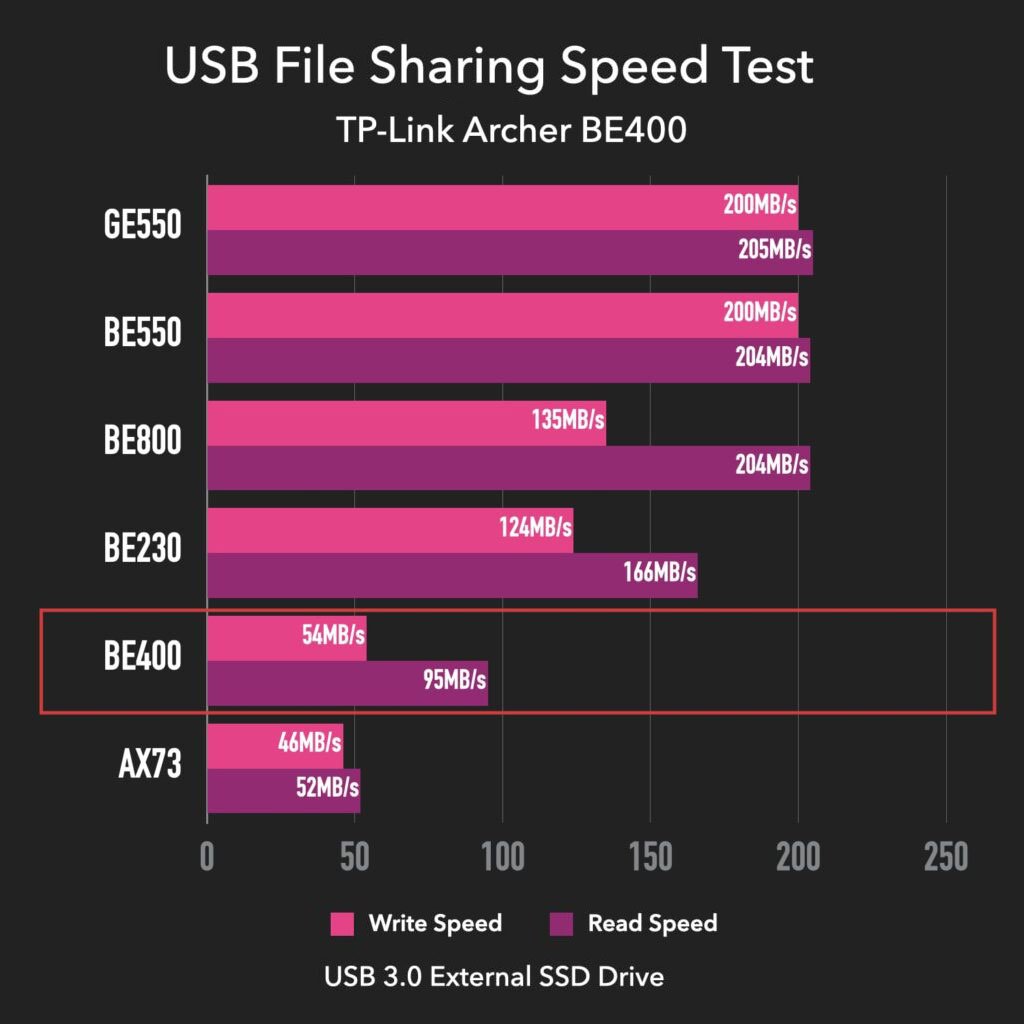
For our file transfer performance tests, we shuttled a 1.5GB folder containing photos, videos, music, and office documents between a USB 3.0 drive and a desktop computer, both connected to the router. We then measured the reading and writing speed. The Archer BE400 returned write and read speeds of 54MBps and 95MBps, a little faster than the Archer AX73’s 46MBps write and 52MBps read speeds. Still, you’re coming in significantly slower than other TP-Link routers such as the Archer BE550 or Archer BE230.
TP-Link Archer BE400 vs Archer BE230
| Archer BE400 | Archer BE230 | |
| Price | $139.99 | $89.99 |
| WiFi Technology | Wi-Fi 7 | Wi-Fi 7 |
| Coverage | Up to 2,400 sq ft | Up to 2,000 sq ft |
| Wi-Fi Speed | BE6500 | BE3600 |
| 5GHz Wi-Fi Specs (channel width) | 4×4 BE Up to 5760Mbps (20/40/80/160MHz) | 2×2 BE Up to 2882Mbps (20/40/80/160MHz) |
| # of Devices | Up to 90 devices | Up to 60 devices |
| Antennas | Six external antennas | Four external antennas |
| Network Security | ✔ | ✔ |
| Parental Controls | ✔ | ✔ |
| Frequency Band Class | Dual Band | Dual Band |
| Channel | 160 MHz | 160 MHz |
| # of Ports | 5 per router | 5 per router |
| USB 3.0 Port? | ✔ | ✔ |
| size | 13.52 x 9.25 x 3.90 in (34.34 x 23.4 x 9.9 cm) | |
TP-Link Archer BE400 Router Hardware
Broadcom’s BCM6766 a quad-core ARMv8-based Wi-Fi 7 SoC gets used by the TP-Link Archer BE400. The BCM6766 brings the speed to a range of WiFi 7 dual 2×2 320 MHz SoC communications processors designed to power low-power, small form factor multi-gigabit access points, routers, repeaters and service provider gateways for residential use. The SoC includes a quad-core ARMv8 CPU as well as dual WLAN radios that support 802.11be 2×2 spatial streams with 160 MHz channels and an integrated 802.3-compliant 2.5GbE PHY.
TP-Link Archer BE400 Router Firmware
The Tether application is neatly designed and response, which makes it comfortable to use. It shows you all the devices that are connected, and you can set up parental controls and speed limits for each. I especially like how it follows traffic uage closely and offers day and wee analysis per device. The speed limit feature is super useful for controling bandwith on certain device. A notable upgrade with the Archer BE400 is its superior VPN support. It now natively supports NordVPN and Surfshark as well as the zippier WireGuard protocol. TP-Link even added the feature of not applying the VPN connection on all devices directly but instead allow you to set it for individual devices.
Unfortunately, the HomeShield software – which delivers next-generation parental controls and security features, does require a monthly subscription, and is not bundled with the router. With elementary parental controls, you only get page blocking and bedtimes. With features such as web usage analysis and detailed usage scheduling, detailed parental controls will require you to sign up for the Pro subscription.
TP-Link Archer BE400 Router Verdict
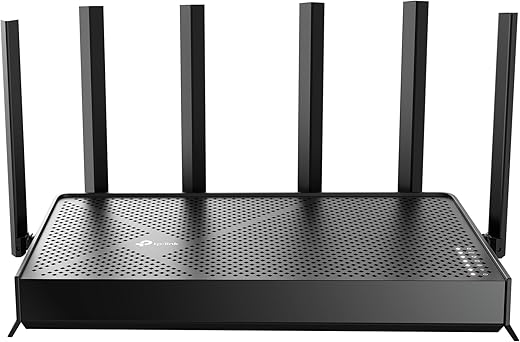
TP-Link Archer BE6500 Dual-Band Wi-Fi 7 Router (Archer BE400) | Dual 2.5 Gbps Ports USB 3.0 | Covers up to...
 Amazon.com