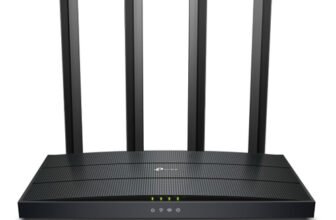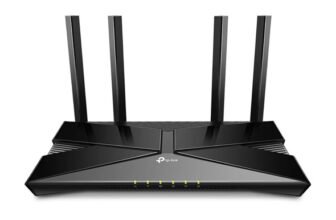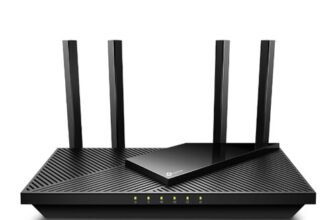
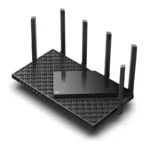
The TP-Link Archer AX75 (119.99 USD at Amazon) is a strong choice for mid, to high-end Wi-Fi 6 throughput and the range to go with it at a low cost. While this router lacks multi-gig network ports, it does have three bands of radio frequencies to stitch together into a mesh. Considering it’s a regular Wi-Fi router, it’s a great price in my opinion.

TP-Link Archer AX75 Router Pros and Cons

TP-Link Archer AX75 Router Design
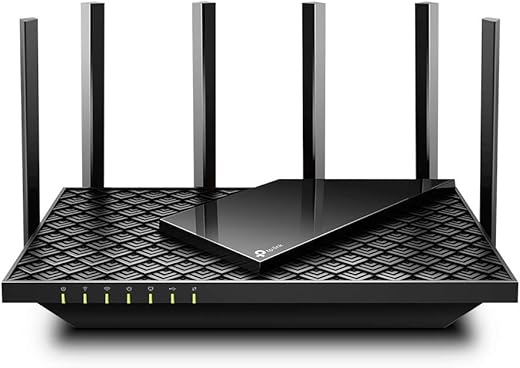
TP-Link Archer AX75 router has a 1.7GHz quad-core processor, 512MB of RAM, and an 802.11ax chipset to deliver Wi-Fi 6 technology with OFDMA transmission, MU-MIMO simultaneous data streams, direct-to-client signal beamforming, 160MHz channel width, dynamic frequency selection (DFS), and WPA3 encryption. The tri-band AX5400 router delivers a theoretical throughput of up to 574Mbps on the 2.4GHz band and up to 2,402Mbps on each of two 2×2 5GHz bands. The Archer AX75 and Archer AXE75 look very much the part of last year’s Archer AX73 thanks to the same black textured casing. Archer AX75 features 6 non-removable adjustable antennas, and size 1.9 x 5.8 x 10.7 inches. Seven status lights of the router to easily monitor the condition of the router, such as power; 2.4GHz and 5GHz radio band activity; WAN ports connection; USB connection; and WPS connection. The only discernible difference between the Archer AX75 and Archer AXE75 (as far as we can tell) is that the former is absent a Wi-Fi 6E badge—the AX75 is not compatible with 6GHz Wi-Fi spectrum.
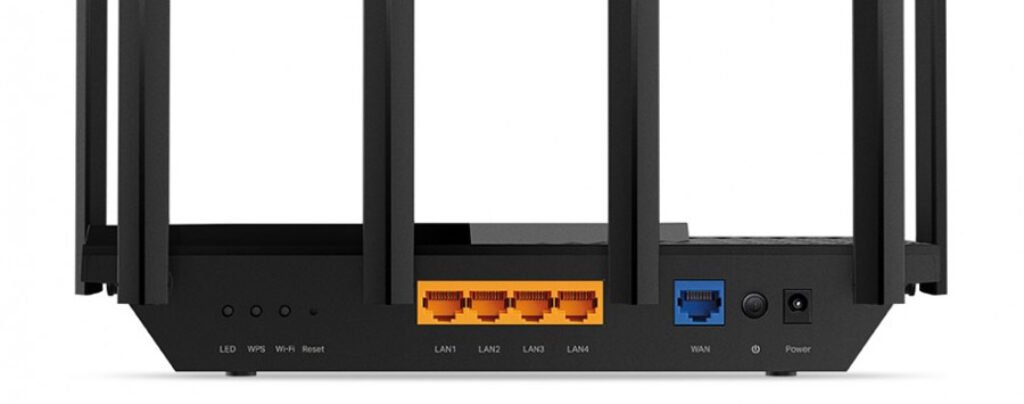
The back holds a power jack, four 1GbE LAN ports, and a single 1GbE WAN port. The physical buttons are as follows: a reset button, LED indicators, WPS and Wi-Fi on/off button, and a power button. There’s a USB 3.0 port on the left side of the router. Multi-gigabit network connections are not available on this router, and link aggregation is also not supported.
TP-Link Archer AX75 Router Feature
- Super-Fast Tri-Band WiFi Up to 5.4 Gbps – 2402 Mbps (5 GHz) + 2402 Mbps (5 GHz) + 574 Mbps (2.4 GHz)
- Connect More, Stay Fast – OFDMA delivers data to multiple devices simultaneously, expanding the available bandwidth
- Broader Coverage – 6× high-performance antennas, Beamforming, and high-power FEM combine to ensure vast coverage
- Powerful Quad-Core Processing – Equipped with a 1.7 GHz Quad-Core CPU to handle huge throughput and eradicate latency
- HomeShield Security – Provides comprehensive network protection, robust parental controls, and real-time IoT protection
TP-Link Archer AX75 Router Specifications
| Brand | TP-Link |
| Model Name | Archer AX75 |
| Processor | 1.7 GHz Quad-Core CPU |
| Standards | Wi-Fi 6 IEEE 802.11ax/ac/n/a 5 GHz IEEE 802.11ax/n/b/g 2.4 GHz |
| WiFi Speeds | 5 GHz: 2402 Mbps (802.11ax) 5 GHz: 2402 Mbps (802.11ax) 2.4 GHz: 574 Mbps (802.11ax) |
| Dimensions (W×D×H) | 10.7 × 5.8 × 1.9 in (272.5 × 147.2 × 49.2 mm) |
| Frequency Band Class | Tri-Band |
| Wireless Communication Standard | 802.11n, 802.11b, 802.11ax, 802.11ac, 802.11g |
| Compatible Devices | Laptops, Desktops, Smartphones, Tablets, Game Consoles, Streaming Devices |
| Guest Network | 1× 5 GHz-1 Guest Network 1× 5 GHz-2 Guest Network 1× 2.4 GHz Guest Network |
| Recommended Uses For Product | Gaming, Home |
| Package Content | Wi-Fi Router Archer AX75 Power Adapter RJ45 Ethernet Cable Quick Installation Guide |
TP-Link Archer AX75 Router Performance
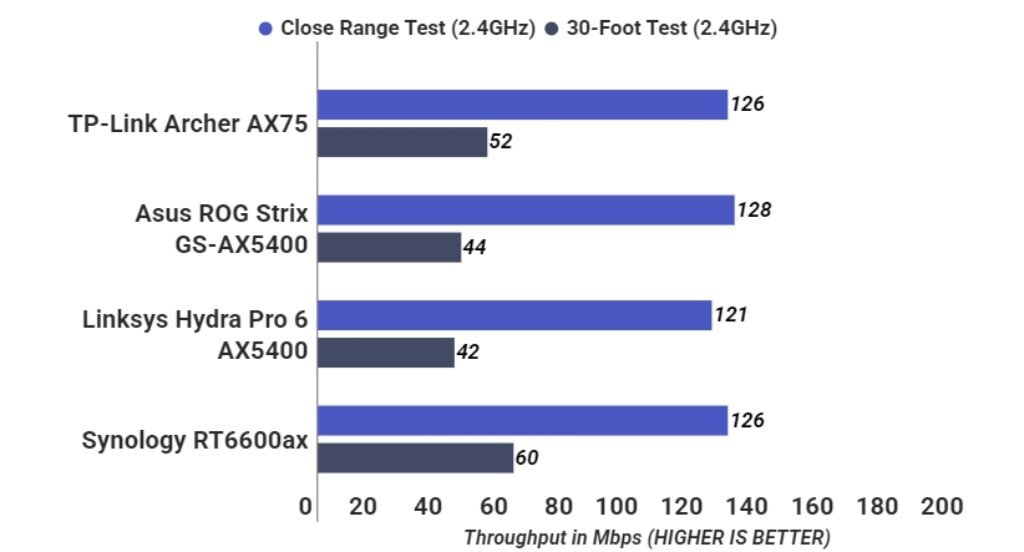
In our throughput performance test, the TP-Link Archer AX75 router did well. It delivered 126 Mbps in the 2.4 GHz close-range test, tying the score of the Synology RT6600ax and edging out the Linksys Hydra Pro 6 AX5400 (121 Mbps). ASUS ROG Strix GS-AX5400 is the fastest, with 128 Mbps. On the 30-foot test, the AX75 scored 52 Mbps, besting the ASUS ROG Strix GS-AX5400 (44 Mbps) and Linksys Hydra Pro 6 AX5400 (42 Mbps), but falling slightly behind the Synology RT6600ax(60 Mbps).
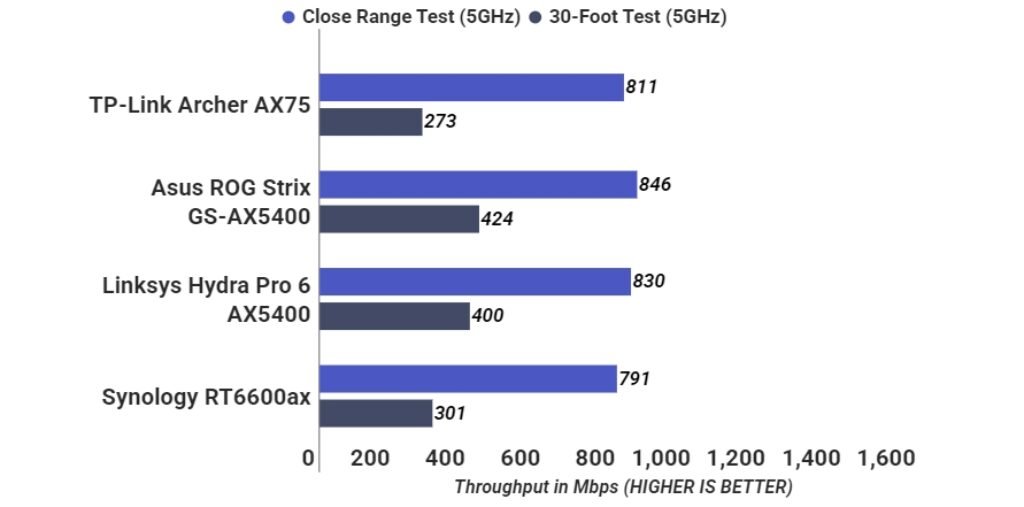
On the 5 GHz throughput test, the AX75 delivered speed of 811 Mbps, edging out the Synology RT6600ax (791 Mbps) but coming in behind the ASUS ROG Strix GS-AX5400 and the Linksys Hydra Pro 6 AX5400 (846 and 830 Mbps, respectively). Further down at 30 feet, the AX75 registered 273 Mbps, the lowest here, topped by the ASUS ROG Strix GS-AX5400 at 424 Mbps, the Linksys Hydra Pro 6 AX5400 at 400 Mbps and the Synology RT6600ax at 301 Mbps.
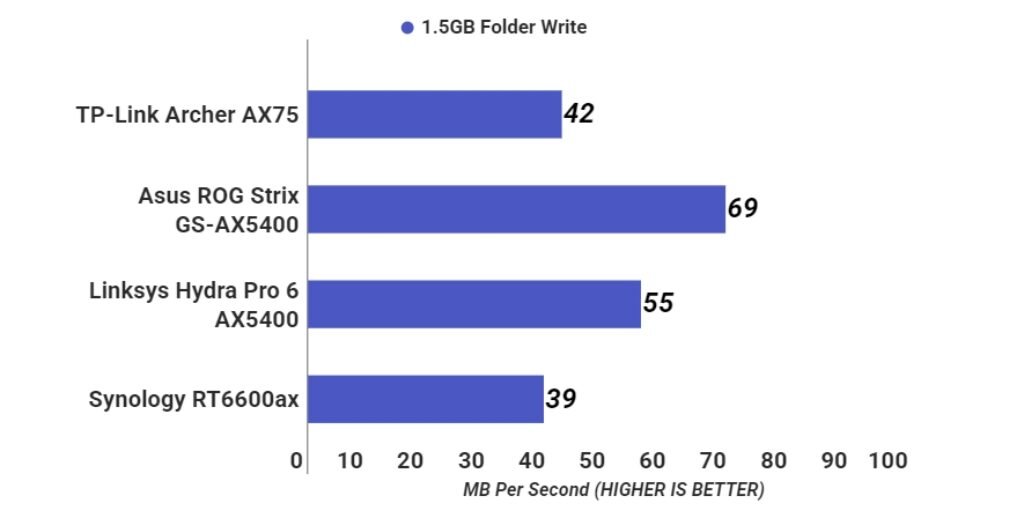
We tested file-transfer performance by shuttling a 1.5GB folder of photos, videos, music and office documents back and forth between a USB 3.0 drive directly connected to the router and a desktop PC. This allowed us to test the reading and writing speed. The TP-Link Archer AX75 turned in a write speed of 42MBps, which is marginally faster than the Synology RT6600ax (39MBps) albeit a distant second slower than the ASUS ROG Strix GS-AX5400 (69MBps). The Linksys Hydra Pro 6 AX5400 was second fastest at 55MBps. On read tests, the Archer AX75 managed 44MBps, again outranking the Synology RT6600ax (40MBps) but still well behind the Linksys Hydra Pro 6 AX5400 (57MBps) and the much faster ASUS ROG Strix GS-AX5400 (85MBps).
TP-Link Archer AX75 Router Verdict
TP-Link AX5400 WiFi 6 Router (Archer AX73)- Dual Band Gigabit Wireless Internet Router, High-Speed ax Router for Streaming, Long Range...
 Amazon.com